Discover ServiceNow Custom Tables
Discovering ServiceNow Custom Tables
In this guide, you will:
- Learn how to discover and manage records from custom ServiceNow tables in Turbot Guardrails
- Configure table discovery, filtering, and record title display settings
- Set up optional business rules for custom table management
Turbot Guardrails can discover and manage records from any specified ServiceNow table, extending visibility beyond the pre-configured Application, Cost Center, and User tables. This allows you to bring data from your custom or other standard ServiceNow tables into Guardrails as ServiceNow > Custom > Record resources.
Prerequisites
- An active ServiceNow instance integrated with Turbot Guardrails following the Importing a ServiceNow instance into Guardrails guide.
- The
@turbot/servicenow-custommod installed in your Guardrails workspace. See Install a Mod. - Administrator access to your ServiceNow instance.
- Administrator access to your Turbot Guardrails workspace.
Enabling Custom Table Discovery
To enable discovery of records from ServiceNow custom tables, configure the following policies:
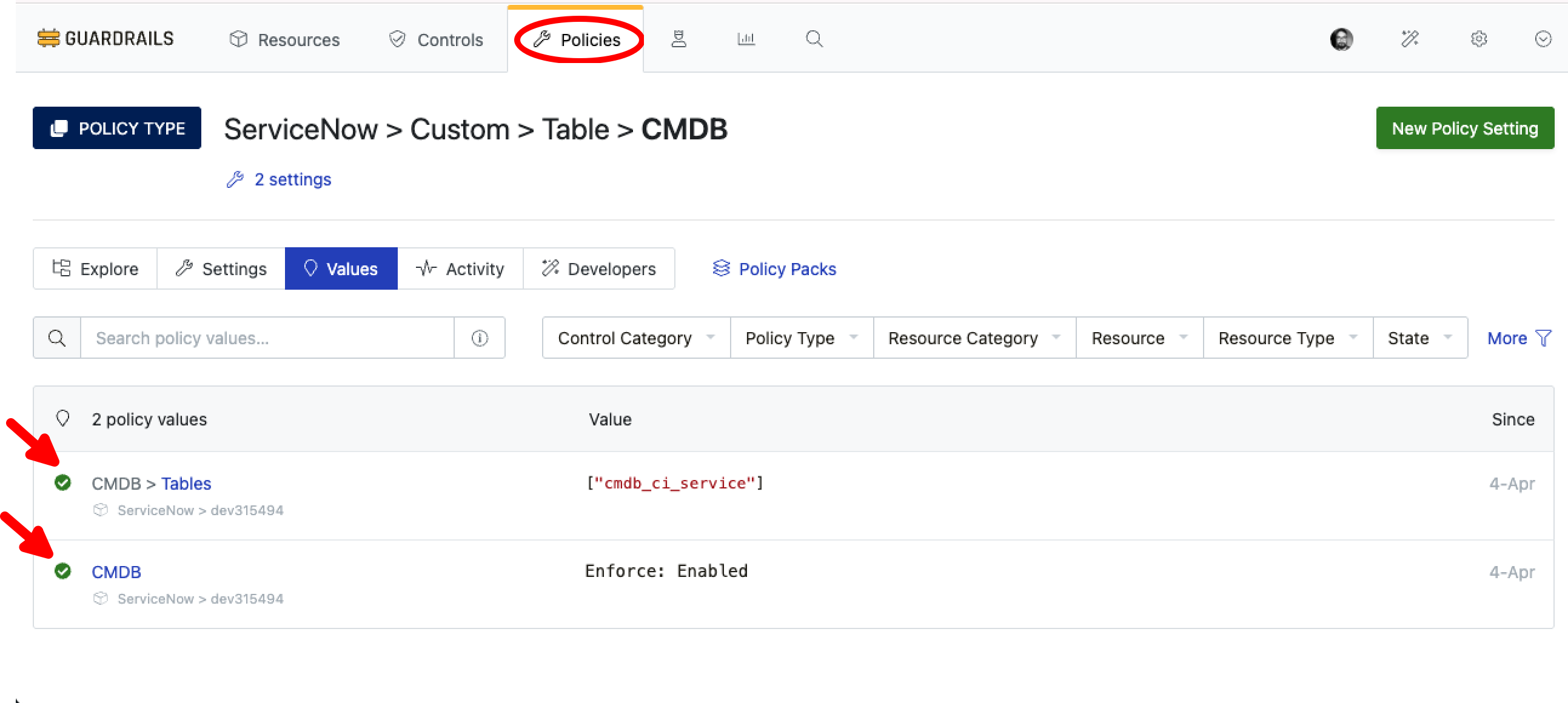
ServiceNow > Custom > Table > CMDB
- Enables the discovery for custom tables.
- Set this policy to
Enforce: Enabledat the scope of your ServiceNow instance resource or higher.
ServiceNow > Custom > Table > CMDB > Tables
- Specifies the list of ServiceNow table names you want Guardrails to discover records from.
- Provide a YAML list of table names e.g.
["u_custom_table", "cmdb_ci_storage_volume"]. - Defaults to an empty list
[].
[!IMPORTANT] Removing a table name from this list will result in the deletion of the corresponding
ServiceNow > Custom > Tableresource and all its childServiceNow > Custom > Recordresources from the Guardrails CMDB.
Set Optional Policies
The following two policies allow you to control which records are discovered and how they are displayed in Guardrails:
ServiceNow > Custom > Record > CMDB > Query
- Allows you to refine which records are discovered by applying ServiceNow encoded query string.
- Useful for limiting discovery to specific records that match your criteria.
- For example, filter by status, category, or any other field available in the ServiceNow table
- Defaults to
""(empty string) which means all records will be discovered.
ServiceNow > Custom > Record > CMDB > Title
- Specifies the data key(s) used to retrieve the title for discovered
ServiceNow > Custom > Recordresources in Guardrails. - Provide an array of strings representing field names in order of preference e.g.
["name", "display_name", "sys_id"]. Guardrails uses the first field in the list that contains a non-empty value. - This allows for fallback options if preferred fields are missing or empty.
- Defaults to
["name", "display_value", "display_name", "title", "label", "short_description", "number", "sys_name", "sys_title", "sys_id"]. - Customize by creating a new policy setting.
(Optional) Configure Real-time Business Rules
To enable real-time updates when records change in ServiceNow, you can configure Business Rules. This allows Guardrails to automatically sync changes as they happen in ServiceNow.
Before configuring Business Rules, ensure you have:
- Set
ServiceNow > Config > System PropertiestoEnforce: Configuredas described in the ServiceNow sync prerequisites. - Administrator access to create Business Rules in ServiceNow
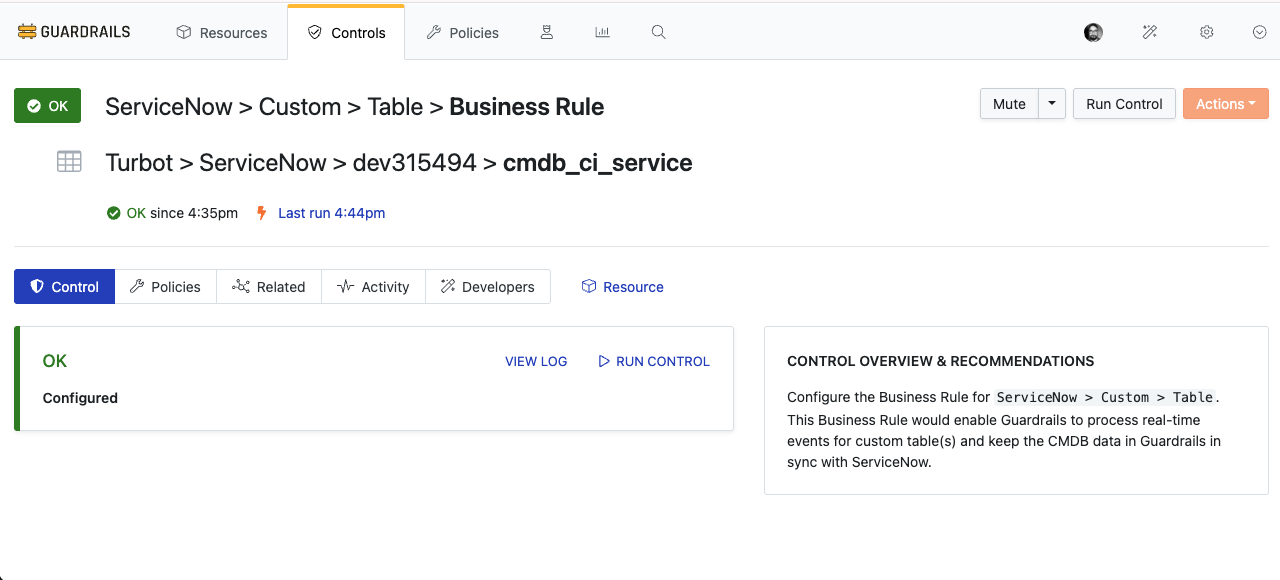
ServiceNow > Custom > Table > Business Rule
Configures ServiceNow Business Rules for real-time event handling of record changes (new, updated, deleted) in the discovered tables.
- Set to
Enforce: Configuredto enable automatic setup and management.
ServiceNow > Custom > Table > Business Rule > Name
- Allows customization of the Business Rule name.
Example: Discovering the Server Table
To discover records from the standard ServiceNow Server table cmdb_ci_server, follow these steps:
- Set
ServiceNow > Custom > Table > CMDBtoEnforce: Enabled. - Set
ServiceNow > Custom > Table > CMDB > Tableswith yaml value as- cmdb_ci_server
- (Optional) To only discover active servers, set
ServiceNow > Custom > Record > CMDB > Querytoactive=true(or the relevant field/value for server status). - (Optional) To enable real-time updates, set
ServiceNow > Custom > Table > Business RuletoEnforce: Configured.
Guardrails will now discover records from cmdb_ci_server. These records will appear in your Guardrails inventory under the ServiceNow instance resource as ServiceNow > Custom > Record resources.
Next Steps
Please see the following resources to learn more about ServiceNow integrations:
Troubleshooting
| Issue | Description | Guide |
|---|---|---|
| Common errors | Common issues that may prevent controls from running include network connectivity problems, permission issues, and API rate limits. These can cause controls to enter an error state. | Refer to Common Troubleshooting for detailed resolution steps. |
| Further Assistance | If you encounter further issues with Calculated Policies, please open a ticket with us and attach the relevant information to assist you more efficiently. | Open Support Ticket |
| Community Support | We want to hear from you! Join our Slack Community #guardrails channel to ask questions and share feedback. |
Join Slack Community |